 ×
×
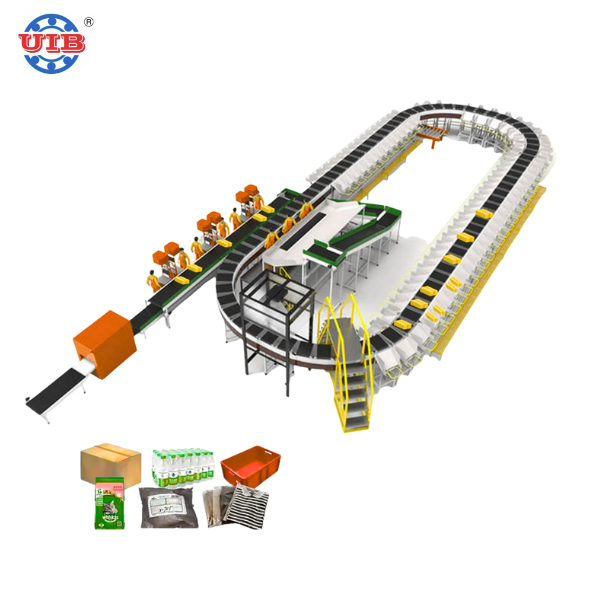
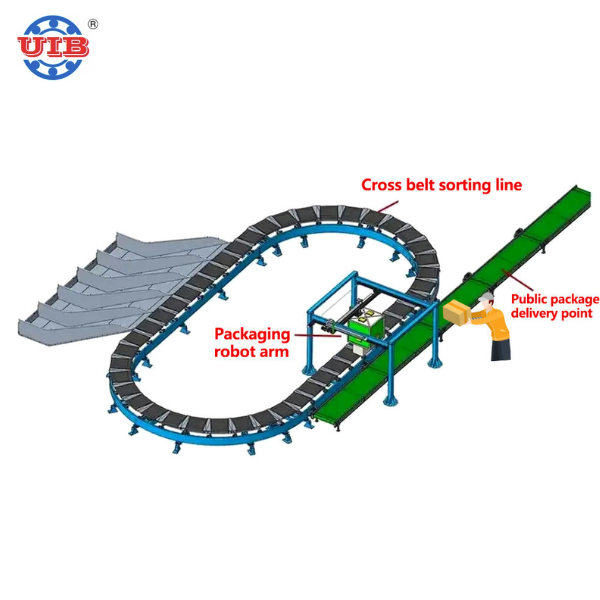
Barcode scanning for a sorting system is not the same as scanning a single item at a retail checkout counter. In a warehouse or distribution center, packages fly past scanners on high speed conveyors. The barcodes on those packages are not always perfect either. They might be smudged, poorly printed, crinkled, or partially covered by tape. The scanner has a fraction of a second to capture and decode that barcode before the package moves past its field of view. If the scanner misses the read, the package gets kicked to a manual sort lane, and that slows down the entire barcode-scanning sorting system. Resolution is the foundation that determines whether those reads happen reliably or not.
Resolution in a barcode scanner refers to how small a barcode element the imager can reliably distinguish. It is usually measured in mils, where one mil equals one thousandth of an inch. A scanner with 5 mil resolution can read barcodes where the narrowest bar is at least 5 mils wide. Most standard logistics barcodes use 10 to 15 mil elements, so a 5 mil scanner handles them comfortably. The relationship between DPI, or dots per inch, and mil size is straightforward: a higher DPI sensor captures more detail, which means it can decode smaller barcodes and handle damaged or low contrast codes more effectively. Modern scanner modules often use CMOS image sensors with resolutions like 640 by 480 pixels, which provide enough detail for the vast majority of logistics applications.
The right resolution depends on what you are scanning and how fast it is moving. For a barcode-scanning sorting system handling standard shipping labels with 15 to 20 mil barcodes, a scanner with 5 mil resolution is more than adequate. If your operation involves very small barcodes on electronic components or pharmaceutical packaging where codes might be as fine as 3 mils, you need a higher resolution imager. The same goes for codes that are frequently damaged or poorly printed. A megapixel sensor provides about 184 percent higher resolution than previous generation imagers, which makes a meaningful difference when codes are less than perfect. Speed is another factor. As packages move faster, the scanner has less time to capture a clean image, so a higher resolution sensor combined with fast processing gives you more margin for error.
Most traditional sorting systems were built around 1D barcodes like Code 128 or UPC. But more and more operations are moving to 2D codes like QR and Data Matrix because they pack more information into a smaller space. 2D codes generally require higher resolution to decode reliably, since the individual elements are smaller. A scanner that reads 1D codes perfectly might struggle with dense 2D codes unless it has sufficient sensor resolution. When selecting a scanner for a barcode-scanning sorting system, think about what types of barcodes you will need to read not just today, but two or three years down the line. Investing in a scanner that handles both 1D and 2D at adequate resolution future proofs your operation.
Resolution is critical, but it is not the whole story. Two scanners with the same DPI rating on paper can perform very differently in the real world. Sensor quality, lighting, and the processing algorithms all matter. The best scanners combine a high resolution CMOS sensor with intelligent imaging technology that enhances contrast, sharpens edges, and fills in missing parts of damaged codes. A fast microprocessor inside the scanner can decode an image in milliseconds, which is essential when packages are moving at high speed. Some systems also use multiple scanners positioned at different angles so that at least one of them gets a clean view of the barcode regardless of package orientation.
No matter what the specification sheet says, the only way to know if a scanner works for your barcode-scanning sorting system is to test it with your actual products and barcodes. Run a sample batch of packages through the system and measure the read rate. A good sorting system should achieve a read rate above 99 percent. If you are seeing too many no reads, the problem might be resolution, but it could also be lighting, scanner placement, conveyor speed, or label quality. Work with your equipment supplier to run diagnostics and make adjustments. Getting this dialed in before full deployment saves an enormous amount of hassle later on.
 Hot News
UIB Xiamen is a 10-year factory supplying custom conveyor, sorting machine, forklift & material handling machinery for logistics, cold chain & manufacturing. Free customized solution available.
Room 1409, SM International Center, Xingshan Road, Huli District, Xiamen City, Fujian Province, China.
Copyright © 2025 by UIB (Xiamen) Bearing Co., Ltd. Privacy Policy

 EN
EN